SUNBURN STATE — A 3D Streetwear Store with a Crime-Drama Sunset
Seven garments hang on a real 3D rail that swings when your cursor runs along it, and six suspects turn on a neon ring where one click pins every piece of their look, all in the sunset glow of an open-world game trailer.
A store for a streetwear drop, in the mood of an open-world game trailer: a fictional Florida-style beach city, a pink sunset, neon on wet asphalt and a red convertible on the causeway. Two real Three.js scenes carry it. On the Rack, seven garments hang turned on chrome hooks like clothes on a real rail, and each has a body: the front and back photographs are two shells pushed apart by a thickness field made from the garment's own outline, so a turned jacket shows its depth instead of a flat card. Hover pulls a piece forward and parts its neighbours with a price tag on its hook; running the cursor along the rail knocks every piece it passes into a swing, with the cloth rippling and the hem trailing; click lifts the piece off the rail in an arc to the front while the rest step back and blur, then drag it round to see the back, re-dye it in its colourways in the shader and open its sizes. In the Lineup, six styled characters stand on a turning ring in a wet neon street, the back row blurred and faded by depth, each with a neon rim, a reflection and a shadow; it turns on its own, drags and steps, and a click on the one in front isolates the look with numbered pins on the pieces and a panel listing them with a bundle price. Around them: a game-style loading screen of skewed character panels and tips, a hero film with a flickering neon logo, a HUD whose wanted stars and green cash counter rise with every piece in the stash, a radar minimap, a sunset ticker, a product dialog, a stash drawer, banners when a look is secured and a demo checkout. Phones frame four pieces of the rail and pan it with a swipe. Sunburn State, its city and its people are fictional, every image and clip is generated, and no real brand or game appears, so it is ready for any label's own drop.
Paste the prompt intoClaude CodeCursorAntigravityWindsurfLovableBoltv0
What's in the source
52 files — one self-contained page that opens in a browser, with the prompt that made it.
sunburn-state/
├─ media/  43 files
├─ js/  4 files
├─ _tools/  1 file
├─ css/  1 file
├─ PROMPT.md
├─ index.html
└─ … 1 more
How to run this
Works the same on Windows, macOS and Linux. No prior setup beyond Node.js, and nothing to configure — the pack runs as-is.
- Built with
- HTML, CSS & JavaScript
- Requires
- Node.js 18 or newer
- Opens at
- http://localhost:3000
Note — No build step: index.html, css/style.css and four ES modules in js/ (main, data, rack, lineup), with the garment and character cut-outs, the hero film and two backdrop loops in media/. Three.js 0.170 loads from jsDelivr through an import map, and the fonts from Google Fonts. Serve the folder over http, because ES modules do not run from file://. It needs WebGL. _tools/prep.py (Python 3 with Pillow, plus ffmpeg) turns your own garment sheets, cut-outs and clips into the media files.
✦ Or let an AI agent set it up for you
Already using Claude Code, Antigravity, Cursor or Windsurf? Unzip the pack, open the folder as a project, and just ask:
Install the dependencies and run this project, then give me the URL
It reads the README included in the pack, runs the right commands for this project, and sorts out anything that trips along the way. You still need Node.js installed (step 1 below) — everything after that it can handle.
Or run it yourself
- 1
Install Node.js, if you don't have it
Download the LTS build from nodejs.org and run the installer — on Windows and Mac it handles everything. Mac users with Homebrew can run
brew install nodeinstead.To check it worked, run
node --version. It should print a number like v22.11.0. - 2
Unzip the pack, then open a terminal inside the folder
Windows: open the unzipped folder in File Explorer, click the address bar, type
powershelland press Enter.Mac: press Cmd+Space, type terminal, press Enter. Then type
cd(with a trailing space) and drag the unzipped folder onto the terminal window — it fills in the path for you. Press Enter. - 3
Start it
Run
npx serve .— npx downloads the little server on demand, so there is nothing to install first.Then open http://localhost:3000 in your browser. Leave the terminal open while you use it — closing it stops the site. Press Ctrl+C in the terminal to stop.
+ − If something goes wrong
- “npm is not recognised” / “command not found: npm”
- Node.js isn’t installed, or the terminal was open before you installed it. Close the terminal, open a new one, and try again.
- “Port 3000 is already in use”
- Something else is running there — often a previous copy of this site. Close the other terminal, or stop it with Ctrl+C.
- The page loads but images or video are missing
- Make sure you ran the command from inside the unzipped SUNBURN STATE — A 3D Streetwear Store with a Crime-Drama Sunset folder itself, not the folder containing it.
Still stuck? Email us and we'll get it running with you.
Questions about SUNBURN STATE
Who is SUNBURN STATE for?
SUNBURN STATE is for fashion labels and online shops and product brands, and for the designers, developers and agencies who build their sites. It's a foundation rather than a site for one business: ask your AI to make it about yours and it rewrites the copy, colours and images around the same build.
What is SUNBURN STATE built with?
SUNBURN STATE is built with Three.js, 3D / WebGL, HTML/CSS/JS, shaders and physics. The source is a single HTML file: open it in a browser and it runs, with no build step. The prompt is written for coding agents such as Claude Code, Cursor and Antigravity.
Can I use SUNBURN STATE for a client project?
Yes. Every purchase includes a commercial licence: use it in your own projects and in work you deliver to clients, including paid client work, change and rebrand it, and publish the result with no credit needed. What you can't do is resell, share or republish the prompt or the source files themselves.
Should I buy the prompt or the source?
The prompt is the written brief that built the design: paste it into a coding agent such as Claude Code, Cursor or Antigravity and it builds the site on your computer, which you then refine. The source is the finished project itself, ready to run exactly as the preview shows. The source always includes the prompt.
Will the prompt give me exactly the preview?
Not exactly, and that's expected. A prompt is a starting point: AI output varies between tools and between runs, so plan to refine spacing, timing and copy. The source pack is the preview itself, finished and running.
Can I get a refund?
Single designs are final once delivered, unless something is wrong on our side: a broken or empty download, a pack that isn't what its page describes, or a double charge. Then email support@brandmotion.in with your receipt and we fix it or refund it. The full terms are on the refunds page.
More like this
Browse the store →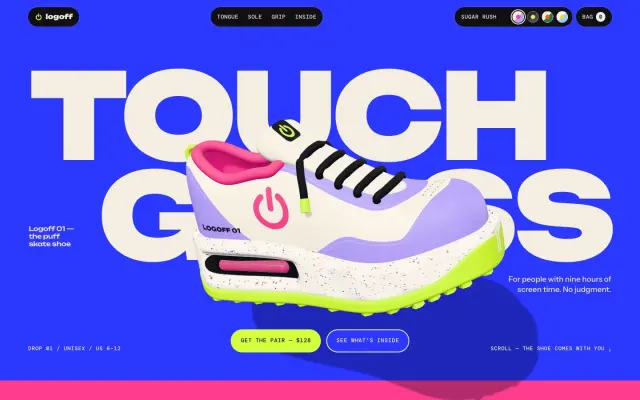 Premium
LOGOFF 01 — A 3D Sneaker You Scroll Apart
One shoe stays on screen while colour blocks scroll past behind it; it turns to show each feature, then pulls apart into seven labelled parts.
 Premium
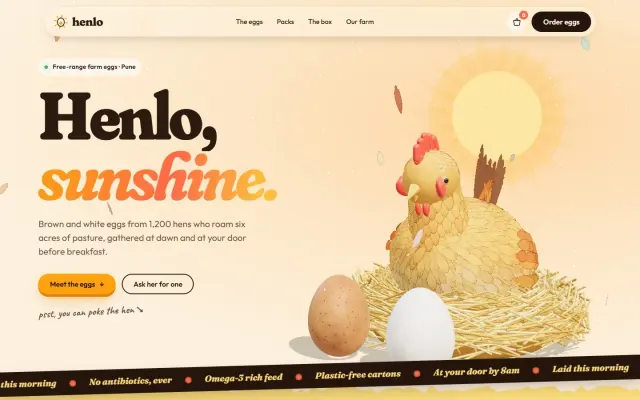
Henlo — The Egg That Travels the Whole Page
A feathered 3D hen lays two eggs, and you follow them all the way down: they crack open, seal up, ride beside the shop and drop into a carton that seals itself.
 Premium
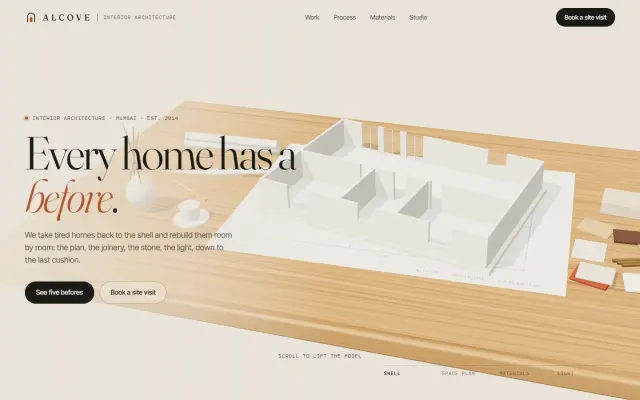
ALCOVE — Interior Studio, Before and After
A white model of an apartment lifts off the studio table, its furniture drops in and the real materials sweep across it in Three.js, then five rooms wipe from before to after as you scroll.