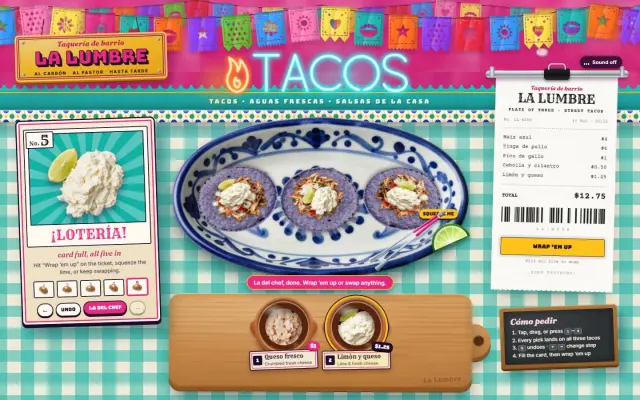
KATORI — Build a Steel Thali at a Jaipur Dhaba
An interactive ordering site where guests build a vegetarian thali katori by katori, served by a steel ladle, then cover it with a 3D dome, ring the bell and send it to the kitchen.
A single-screen thali builder for an Indian restaurant, made in plain HTML, CSS and JavaScript with no build step. Behind the table is a lime-washed turquoise dhaba wall over a saffron dado, with hand-painted Hindi signs, marigold garlands that sway and a tube light that flickers on when the guest starts. On the brushed-steel table sits a steel thali with empty katoris labelled in Devanagari. A wooden serving counter slides in three dishes per course: dal, sabzi, rice, bread, a side and something sweet. Tap one, press 1 to 3, or drag it onto the thali, and a steel ladle carries it along an arc into its katori and tips it in. Dals and curries send ripples across the bowl in their own colour, bread spins in like a frisbee, crumbs burst in the dish's colours, and hot food keeps steaming. Pickle and onion-lime fly over free, tagged "on the house". A painted menu board tracks the step in Hindi and English with dots that fill in each dish's colour, and Maharaj's pick fills every open course for you. The order slip on the bill spike writes each line in blue biro as you pick and counts up the total in rupees. When all six katoris are full, a steel dome made of stacked 3D rings drops over the thali, the brass counter bell rings, and the slip is slammed onto the spike and stamped for the kitchen. Then a checkout styled as an order form takes delivery or pickup details. Close it without ordering and the dome lifts away in a puff of steam so the guest can keep swapping. Sound is off until the guest turns it on, and the phone layout stacks the same pieces on a tall portrait stage.
Paste the prompt intoClaude CodeCursorAntigravityWindsurfLovableBoltv0
What's in the source
29 files — one self-contained page that opens in a browser, with the prompt that made it.
katori-thali/
├─ img/  22 files
├─ shared/  2 files
├─ PROMPT.md
├─ index.html
└─ … 3 more
How to run this
Works the same on Windows, macOS and Linux. No prior setup beyond Node.js, and nothing to configure — the pack runs as-is.
- Built with
- HTML, CSS & JavaScript
- Requires
- Node.js 18 or newer
- Opens at
- http://localhost:3000
Note — No build step: plain HTML, CSS and ES modules. Serve the folder over http (for example npx serve .) because ES modules won't load from file://, and the fonts load from Google Fonts.
✦ Or let an AI agent set it up for you
Already using Claude Code, Antigravity, Cursor or Windsurf? Unzip the pack, open the folder as a project, and just ask:
Install the dependencies and run this project, then give me the URL
It reads the README included in the pack, runs the right commands for this project, and sorts out anything that trips along the way. You still need Node.js installed (step 1 below) — everything after that it can handle.
Or run it yourself
- 1
Install Node.js, if you don't have it
Download the LTS build from nodejs.org and run the installer — on Windows and Mac it handles everything. Mac users with Homebrew can run
brew install nodeinstead.To check it worked, run
node --version. It should print a number like v22.11.0. - 2
Unzip the pack, then open a terminal inside the folder
Windows: open the unzipped folder in File Explorer, click the address bar, type
powershelland press Enter.Mac: press Cmd+Space, type terminal, press Enter. Then type
cd(with a trailing space) and drag the unzipped folder onto the terminal window — it fills in the path for you. Press Enter. - 3
Start it
Run
npx serve .— npx downloads the little server on demand, so there is nothing to install first.Then open http://localhost:3000 in your browser. Leave the terminal open while you use it — closing it stops the site. Press Ctrl+C in the terminal to stop.
+ − If something goes wrong
- “npm is not recognised” / “command not found: npm”
- Node.js isn’t installed, or the terminal was open before you installed it. Close the terminal, open a new one, and try again.
- “Port 3000 is already in use”
- Something else is running there — often a previous copy of this site. Close the other terminal, or stop it with Ctrl+C.
- The page loads but images or video are missing
- Make sure you ran the command from inside the unzipped KATORI — Build a Steel Thali at a Jaipur Dhaba folder itself, not the folder containing it.
Still stuck? Email us and we'll get it running with you.
Questions about KATORI
Who is KATORI for?
KATORI is for restaurants, and for the designers, developers and agencies who build their sites. It's a foundation rather than a site for one business: ask your AI to make it about yours and it rewrites the copy, colours and images around the same build.
What is KATORI built with?
KATORI is built with HTML/CSS/JS. The source is a single HTML file: open it in a browser and it runs, with no build step. The prompt is written for coding agents such as Claude Code, Cursor and Antigravity.
Can I use KATORI for a client project?
Yes. Every purchase includes a commercial licence: use it in your own projects and in work you deliver to clients, including paid client work, change and rebrand it, and publish the result with no credit needed. What you can't do is resell, share or republish the prompt or the source files themselves.
Should I buy the prompt or the source?
The prompt is the written brief that built the design: paste it into a coding agent such as Claude Code, Cursor or Antigravity and it builds the site on your computer, which you then refine. The source is the finished project itself, ready to run exactly as the preview shows. The source always includes the prompt.
Will the prompt give me exactly the preview?
Not exactly, and that's expected. A prompt is a starting point: AI output varies between tools and between runs, so plan to refine spacing, timing and copy. The source pack is the preview itself, finished and running.
Can I get a refund?
Single designs are final once delivered, unless something is wrong on our side: a broken or empty download, a pack that isn't what its page describes, or a double charge. Then email support@brandmotion.in with your receipt and we fix it or refund it. The full terms are on the refunds page.
More like this
Browse the store →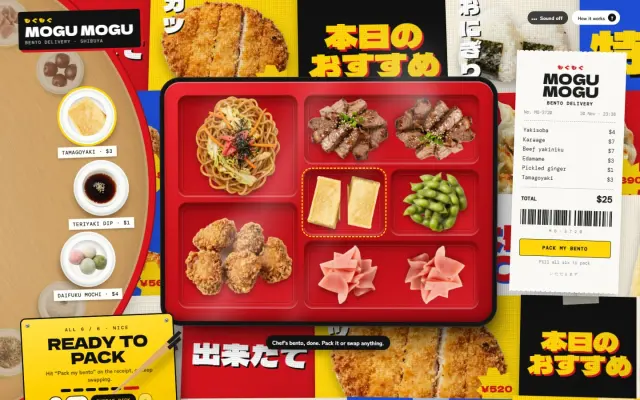 Premium
MOGU MOGU — Build Your Bento, Wrapped in Furoshiki
A Japanese lunch kitchen's ordering page where a wooden lazy susan turns to bring each course round, chopsticks carry every pick into a red lacquer bento box, and the finished box is lidded and tied up in a furoshiki before checkout.
 Premium
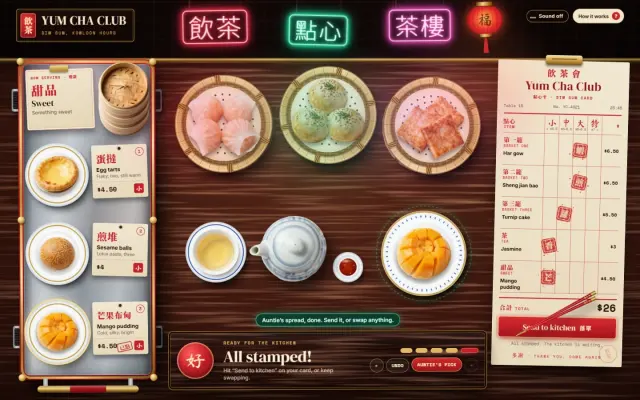
YUM CHA CLUB — Dim Sum Off Auntie's Trolley
Build a Cantonese dim sum spread in a neon-lit Kowloon tea house: pick three bamboo baskets, a pot of tea and something sweet off a rolling trolley, get a red chop stamped for every pick, and send a steaming tower of steamers to the kitchen.
 Premium
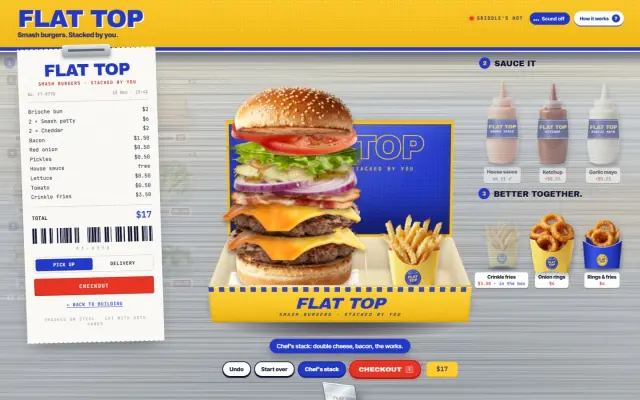
FLAT TOP — Stack a Smash Burger, Smash the Box Shut
A burger counter where the guest stacks their own smash burger, layer by layer, inside a cardboard box built in real CSS 3D. At checkout the lid comes down, presses the burger flat and gets a sticker slapped on.