Bablu Bhai — The Face You Pull Like Taffy
A character designer's self-portrait you can grab: pinch his moustache, stretch it into a long tube, let go and he jiggles back wearing a new expression. Keep pulling and he loses his temper.
A one-screen portfolio hero for a character designer, where the portrait is a soft sheet rather than a picture. Pinch any part of the moustached tea seller and it stretches toward the pointer with a real neck while the head leans after it. Let go and the sheet snaps back, overshoots and jiggles, then lands on one of five expressions. It runs on a spring-mass grid of 64 by 64 particles at a fixed 200 steps a second, with the feel constants at the top of the function so you can make it stiffer, syrupier or longer-lasting. Every pull uses up his patience. As the bar fills he flushes red, and at full he swells, blows up, leaves a chai-break sign and pops back up from behind the counter. Pulling the moustache gets its own lines. Around him sit an enormous name, a short bio, stats with a live count of your pulls, and a newsletter form that only shows a success state until you connect it. Touch works too: the head takes every touch, and on the shoulders a sideways swipe pulls while a vertical swipe scrolls the page. The arrow keys yank a different part each, and reduced motion or a missing WebGL gets a still portrait you can press. The name, clients and figures are placeholders, and swapping the character means replacing five images with the same framing.
Paste the prompt intoClaude CodeCursorAntigravityWindsurfLovableBoltv0
What's in the source
10 files — one self-contained page that opens in a browser, with the prompt that made it.
bablu-bhai/
├─ media/  5 files
├─ css/  1 file
├─ js/  1 file
├─ PROMPT.md
├─ index.html
└─ … 1 more
How to run this
Works the same on Windows, macOS and Linux. No prior setup beyond Node.js, and nothing to configure — the pack runs as-is.
- Built with
- HTML, CSS & JavaScript
- Requires
- Node.js 18 or newer
- Opens at
- http://localhost:3000
Note — No build step: index.html, css/style.css and js/main.js, with the five expressions in media/. Three.js and the fonts load from CDNs, so it needs an internet connection. Serve the folder rather than double-clicking index.html, because ES modules need http and the portrait is read for its alpha mask.
✦ Or let an AI agent set it up for you
Already using Claude Code, Antigravity, Cursor or Windsurf? Unzip the pack, open the folder as a project, and just ask:
Install the dependencies and run this project, then give me the URL
It reads the README included in the pack, runs the right commands for this project, and sorts out anything that trips along the way. You still need Node.js installed (step 1 below) — everything after that it can handle.
Or run it yourself
- 1
Install Node.js, if you don't have it
Download the LTS build from nodejs.org and run the installer — on Windows and Mac it handles everything. Mac users with Homebrew can run
brew install nodeinstead.To check it worked, run
node --version. It should print a number like v22.11.0. - 2
Unzip the pack, then open a terminal inside the folder
Windows: open the unzipped folder in File Explorer, click the address bar, type
powershelland press Enter.Mac: press Cmd+Space, type terminal, press Enter. Then type
cd(with a trailing space) and drag the unzipped folder onto the terminal window — it fills in the path for you. Press Enter. - 3
Start it
Run
npx serve .— npx downloads the little server on demand, so there is nothing to install first.Then open http://localhost:3000 in your browser. Leave the terminal open while you use it — closing it stops the site. Press Ctrl+C in the terminal to stop.
+ − If something goes wrong
- “npm is not recognised” / “command not found: npm”
- Node.js isn’t installed, or the terminal was open before you installed it. Close the terminal, open a new one, and try again.
- “Port 3000 is already in use”
- Something else is running there — often a previous copy of this site. Close the other terminal, or stop it with Ctrl+C.
- The page loads but images or video are missing
- Make sure you ran the command from inside the unzipped Bablu Bhai — The Face You Pull Like Taffy folder itself, not the folder containing it.
Still stuck? Email us and we'll get it running with you.
Questions about Bablu Bhai
Who is Bablu Bhai for?
Bablu Bhai is for portfolios, and for the designers, developers and agencies who build their sites. It's a foundation rather than a site for one business: ask your AI to make it about yours and it rewrites the copy, colours and images around the same build.
What is Bablu Bhai built with?
Bablu Bhai is built with Three.js and HTML/CSS/JS. The source is a single HTML file: open it in a browser and it runs, with no build step. The prompt is written for coding agents such as Claude Code, Cursor and Antigravity.
Can I use Bablu Bhai for a client project?
Yes. Every purchase includes a commercial licence: use it in your own projects and in work you deliver to clients, including paid client work, change and rebrand it, and publish the result with no credit needed. What you can't do is resell, share or republish the prompt or the source files themselves.
Should I buy the prompt or the source?
The prompt is the written brief that built the design: paste it into a coding agent such as Claude Code, Cursor or Antigravity and it builds the site on your computer, which you then refine. The source is the finished project itself, ready to run exactly as the preview shows. The source always includes the prompt.
Will the prompt give me exactly the preview?
Not exactly, and that's expected. A prompt is a starting point: AI output varies between tools and between runs, so plan to refine spacing, timing and copy. The source pack is the preview itself, finished and running.
Can I get a refund?
Single designs are final once delivered, unless something is wrong on our side: a broken or empty download, a pack that isn't what its page describes, or a double charge. Then email support@brandmotion.in with your receipt and we fix it or refund it. The full terms are on the refunds page.
More like this
Browse the store →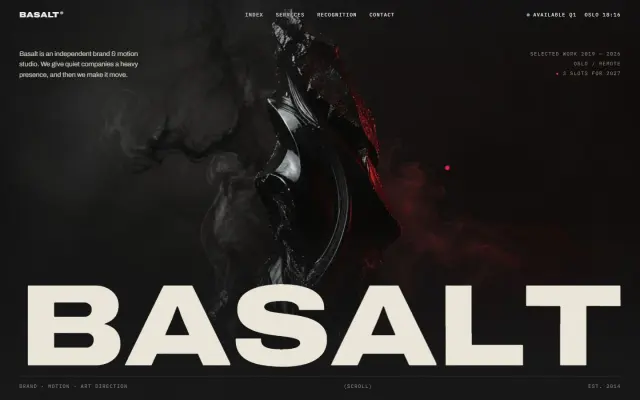 Premium
Basalt Studio — A Brand & Motion Studio
A screen-wide wordmark parts to reveal an obsidian sculpture, and every project row floats its own graded preview beside the cursor.
 Premium
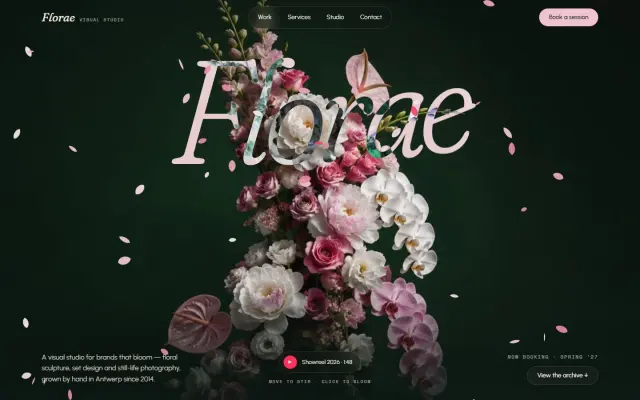
Florae — A Floral Visual Studio
Petals drift across a giant italic wordmark and scatter like a breeze from your pointer; click to burst a bloom.
 Premium
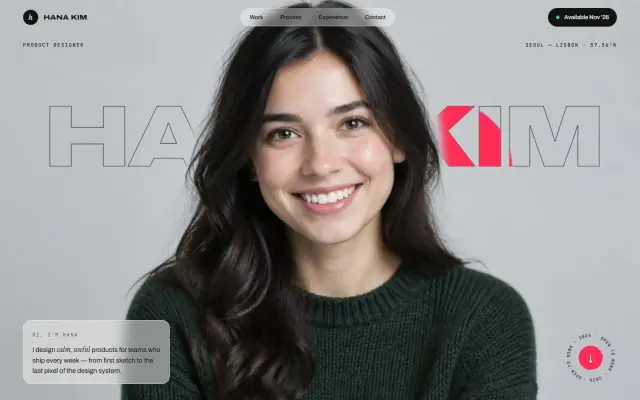
Hana Kim — A Product Designer's Portfolio
A giant outlined name tucked behind the portrait fills crimson wherever your pointer goes.