VAARĀ — A Palace Resort, Travelled by Scroll
You are not scrolling through a website. You are travelling through the hotel.
A luxury palace resort told as one continuous 48-second camera journey — drone descent, the entrance courtyard, through the glass into the lobby, the dining room, the pool and garden path, a suite, and the doors opening onto the grand hall — and none of it ever plays. A GSAP ScrollTrigger pins the film for roughly seven thousand pixels and the scroll position is the playhead: a ticker eases the current time toward the scroll's target and issues one seek at a time, waiting for the decoder to report back before sending the next, so it glides forwards and backwards and stops dead when you stop. The film is encoded for seeking rather than playback (a keyframe every twelve frames, no B-frames) and fetched whole as a blob before the journey starts. A 5 Hz light track measured off the footage switches the nav between light and dark without reading a single pixel at runtime, a 01–06 journey index follows the chapters, and seven editorial overlays arrive and leave on the film's own timings. The last frame holds while an ivory veil rises into the editorial pages — architecture, dining, gardens, suites and the grand hall — set in Instrument Serif and Manrope, with a custom cursor and Lenis smooth scrolling. Built for desktop.
Paste the prompt intoClaude CodeCursorAntigravityWindsurfLovableBoltv0
What's in the source
37 files — the finished project, ready to run with npm install and npm run dev.
vaara-palace-resort/
├─ public/  16 files
├─ src/  12 files
├─ scripts/  2 files
├─ README.md
├─ index.html
├─ package.json
└─ … 4 more
How to run this
Works the same on Windows, macOS and Linux. No prior setup beyond Node.js, and nothing to configure — the pack runs as-is.
- Built with
- Vite 7
- Requires
- Node.js 20 or newer
- Opens at
- http://localhost:5188
Note — The film ships ready to scrub in public/film — nothing to download or encode. It never plays: scroll moves the camera, so give the page a moment to fetch the video before scrubbing fast. Built and tuned for desktop (1440px and up); smaller screens get a basic fallback. The npm run film:encode and film:analyse scripts are only for swapping in your own footage: they need a scripts/film.env with MASTER=/path/to/your-master.mov (and an optional PRE_FILTER=), which is not included.
✦ Or let an AI agent set it up for you
Already using Claude Code, Antigravity, Cursor or Windsurf? Unzip the pack, open the folder as a project, and just ask:
Install the dependencies and run this project, then give me the URL
It reads the README included in the pack, runs the right commands for this project, and sorts out anything that trips along the way. You still need Node.js installed (step 1 below) — everything after that it can handle.
Or run it yourself
- 1
Install Node.js, if you don't have it
Download the LTS build from nodejs.org and run the installer — on Windows and Mac it handles everything. Mac users with Homebrew can run
brew install nodeinstead.To check it worked, run
node --version. It should print a number like v22.11.0. - 2
Unzip the pack, then open a terminal inside the folder
Windows: open the unzipped folder in File Explorer, click the address bar, type
powershelland press Enter.Mac: press Cmd+Space, type terminal, press Enter. Then type
cd(with a trailing space) and drag the unzipped folder onto the terminal window — it fills in the path for you. Press Enter. - 3
Install the dependencies
Run
npm installOne-time, and takes roughly 30–60 seconds. It creates a node_modules folder — that's expected, and it's why the zip doesn't ship one.
- 4
Start it
Run
npm run devThen open http://localhost:5188 in your browser. Leave the terminal open while you use it — closing it stops the site. Press Ctrl+C in the terminal to stop.
- 5
Optional — build for production
When you're ready to deploy,
npm run buildproduces the optimised output. The pack deploys to Vercel, Netlify or any Node host with no changes.
+ − If something goes wrong
- “npm is not recognised” / “command not found: npm”
- Node.js isn’t installed, or the terminal was open before you installed it. Close the terminal, open a new one, and try again.
- “Port 5188 is already in use”
- Something else is running there — often a previous copy of this site. Close the other terminal, or stop it with Ctrl+C.
- The page loads but images or video are missing
- Make sure you ran the command from inside the unzipped VAARĀ — A Palace Resort, Travelled by Scroll folder itself, not the folder containing it.
- npm install shows warnings
- Warnings (as opposed to errors) are normal and safe to ignore. Only a message starting with ERR! needs attention.
Still stuck? Email us and we'll get it running with you.
Questions about VAARĀ
Who is VAARĀ for?
VAARĀ is for hotels and resorts, and for the designers, developers and agencies who build their sites. It's a foundation rather than a site for one business: ask your AI to make it about yours and it rewrites the copy, colours and images around the same build.
What is VAARĀ built with?
VAARĀ is built with Vite + GSAP and video scrubbing. The source is a Vite project: run npm install, then npm run dev, and it opens locally exactly as the preview shows. The prompt is written for coding agents such as Claude Code, Cursor and Antigravity.
Can I use VAARĀ for a client project?
Yes. Every purchase includes a commercial licence: use it in your own projects and in work you deliver to clients, including paid client work, change and rebrand it, and publish the result with no credit needed. What you can't do is resell, share or republish the prompt or the source files themselves.
Should I buy the prompt or the source?
The prompt is the written brief that built the design: paste it into a coding agent such as Claude Code, Cursor or Antigravity and it builds the site on your computer, which you then refine. The source is the finished project itself, ready to run exactly as the preview shows. The source always includes the prompt.
Will the prompt give me exactly the preview?
Not exactly, and that's expected. A prompt is a starting point: AI output varies between tools and between runs, so plan to refine spacing, timing and copy. The source pack is the preview itself, finished and running.
Can I get a refund?
Single designs are final once delivered, unless something is wrong on our side: a broken or empty download, a pack that isn't what its page describes, or a double charge. Then email support@brandmotion.in with your receipt and we fix it or refund it. The full terms are on the refunds page.
More like this
Browse the store →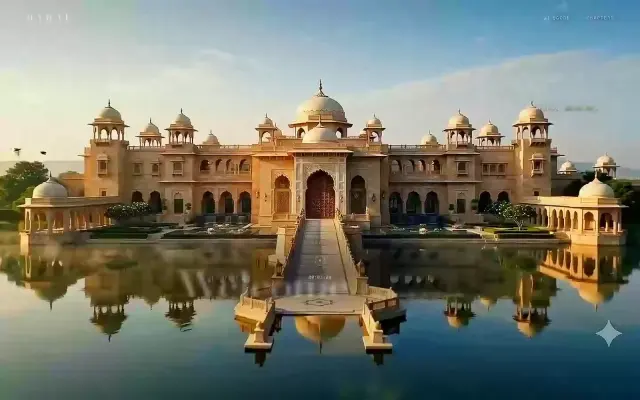 Premium
MAHAL — The Palace, In One Continuous Take
Scrolling doesn't trigger the film. Scrolling is the film.
 Premium
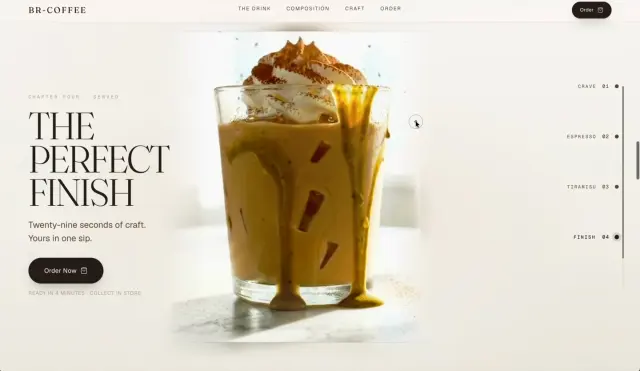
BR Coffee — Pistachio Tiramisu Iced Latte
Scroll builds the drink, frame by frame
 Premium
BR-Skins — The Anatomy of Glow
Nine pinned chapters, five clips, one scroll