BM-Shell — Phone Case Shopify Theme
A drop-tested Shopify theme for phone cases: particles wrap a 3D phone in its case, it falls 3 m and lands corner first with a shockwave, splits into six layers and snaps back, plus a case builder with live engraving.
A complete Shopify Online Store 2.0 theme for a phone-case brand, precise and lab-clean: frosted greys, one violet signal and a lime flash for impacts. The hero is a procedural 3D phone and case. Violet particles orbit the bare phone and wrap it into the case with a flash, then the lights drop for a 3 m fall: it lands corner first with a shockwave ring across the floor, the air-pocket corners flash, dust bursts out and the readout shows height, peak force and zero cracks. The case then separates into six layers with leader-line labels (back, bumper, air-pocket corners, magnet ring, lining and phone), snaps back tighter and bursts into particles. Five finish chips swap the material with a glowing dissolve wipe. A scroll-scrubbed film drops a phone in a clear case onto concrete, with a spec card and a Fall / Hit / Absorb / Fine rail. The case builder shows a live 3D case for size, finish, accent colour and up to twelve engraved characters, and adds the right variant to the cart with the engraving on the order. Then drop-test results, a finishes grid with tilt and a light sweep, a lineup filtered into cases and accessories, and an editorial section. Underneath it is a working store: every section has Theme Editor settings and finished sample content until you pick your own products, plus an Ajax cart drawer, product pages, collection, search, cart, account and password pages. Three.js, GSAP and Lenis are bundled into the theme, so it runs on Shopify alone, and it previews offline with a sample catalogue before you have a store.
Paste the prompt intoClaude CodeCursorAntigravityWindsurfLovableBoltv0
What's in the source
186 files — the finished project, ready to run with npm install and npm run dev.
bm-shell-shopify-theme/
├─ theme/  180 files
├─ preview/  2 files
├─ README.md
├─ package.json
└─ … 2 more
How to run this
Works the same on Windows, macOS and Linux. No prior setup beyond Node.js, and nothing to configure — the pack runs as-is.
- Built with
- Shopify theme (Liquid)
- Requires
- Node.js 18 or newer
- Opens at
- http://localhost:3000
Note — A Shopify theme, so there is no framework build: npm run preview renders the real Liquid files in theme/ on a local server with a sample catalogue, which is how to see it without a store. To put it on your store, upload the included theme zip under Online Store → Themes → Add theme, or install the Shopify CLI and run npm run push to upload theme/ as an unpublished theme. The README lists the products and collections to pick in the theme editor after uploading.
✦ Or let an AI agent set it up for you
Already using Claude Code, Antigravity, Cursor or Windsurf? Unzip the pack, open the folder as a project, and just ask:
Install the dependencies and run this project, then give me the URL
It reads the README included in the pack, runs the right commands for this project, and sorts out anything that trips along the way. You still need Node.js installed (step 1 below) — everything after that it can handle.
Or run it yourself
- 1
Install Node.js, if you don't have it
Download the LTS build from nodejs.org and run the installer — on Windows and Mac it handles everything. Mac users with Homebrew can run
brew install nodeinstead.To check it worked, run
node --version. It should print a number like v22.11.0. - 2
Unzip the pack, then open a terminal inside the folder
Windows: open the unzipped folder in File Explorer, click the address bar, type
powershelland press Enter.Mac: press Cmd+Space, type terminal, press Enter. Then type
cd(with a trailing space) and drag the unzipped folder onto the terminal window — it fills in the path for you. Press Enter. - 3
Install the dependencies
Run
npm installOne-time, and takes roughly 30–60 seconds. It creates a node_modules folder — that's expected, and it's why the zip doesn't ship one.
- 4
Start it
Run
npm run previewThen open http://localhost:3000 in your browser. Leave the terminal open while you use it — closing it stops the site. Press Ctrl+C in the terminal to stop.
+ − If something goes wrong
- “npm is not recognised” / “command not found: npm”
- Node.js isn’t installed, or the terminal was open before you installed it. Close the terminal, open a new one, and try again.
- “Port 3000 is already in use”
- Something else is running there — often a previous copy of this site. Close the other terminal, or stop it with Ctrl+C.
- The page loads but images or video are missing
- Make sure you ran the command from inside the unzipped BM-Shell — Phone Case Shopify Theme folder itself, not the folder containing it.
- npm install shows warnings
- Warnings (as opposed to errors) are normal and safe to ignore. Only a message starting with ERR! needs attention.
Still stuck? Email us and we'll get it running with you.
Questions about BM-Shell
Who is BM-Shell for?
BM-Shell is for online shops and product brands and hardware and device makers, and for the designers, developers and agencies who build their sites. It's a foundation rather than a site for one business: ask your AI to make it about yours and it rewrites the copy, colours and images around the same build.
What is BM-Shell built with?
BM-Shell is built with Three.js, GSAP and particles. The source is a Shopify theme (Liquid) project: run npm install, then npm run preview, and it opens locally exactly as the preview shows. The prompt is written for coding agents such as Claude Code, Cursor and Antigravity.
Can I use BM-Shell for a client project?
Yes. Every purchase includes a commercial licence: use it in your own projects and in work you deliver to clients, including paid client work, change and rebrand it, and publish the result with no credit needed. What you can't do is resell, share or republish the prompt or the source files themselves.
Should I buy the prompt or the source?
The prompt is the written brief that built the design: paste it into a coding agent such as Claude Code, Cursor or Antigravity and it builds the site on your computer, which you then refine. The source is the finished project itself, ready to run exactly as the preview shows. The source always includes the prompt.
Will the prompt give me exactly the preview?
Not exactly, and that's expected. A prompt is a starting point: AI output varies between tools and between runs, so plan to refine spacing, timing and copy. The source pack is the preview itself, finished and running.
Can I get a refund?
Single designs are final once delivered, unless something is wrong on our side: a broken or empty download, a pack that isn't what its page describes, or a double charge. Then email support@brandmotion.in with your receipt and we fix it or refund it. The full terms are on the refunds page.
More like this
Browse the store →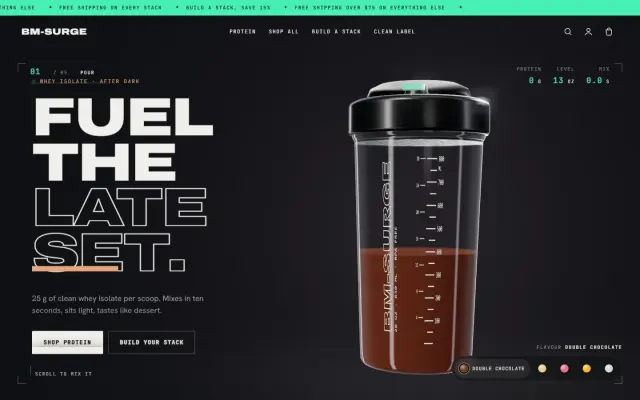 Premium
BM-Surge — Protein & Sports Nutrition Shopify Theme
A late-night training Shopify theme: a 3D shaker that builds itself from powder, takes a scoop, shakes hard, comes apart into labelled parts and bursts, plus a stack builder that works out your protein.
 Premium
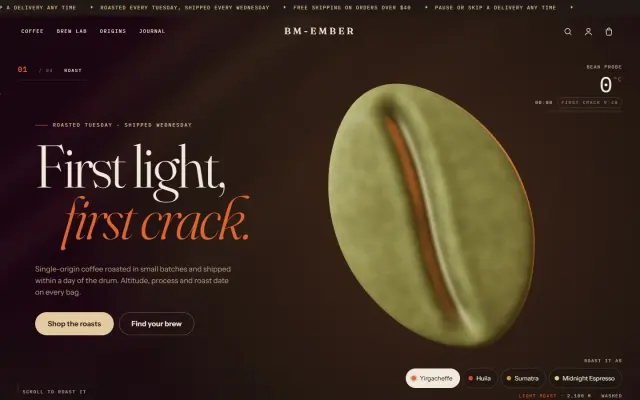
BM-Ember — Specialty Coffee Roaster Shopify Theme
A roastery Shopify theme: a giant 3D coffee bean roasts from green to dark as you scroll, cracks into grounds, brews through an exploded pour-over and fills a steaming cup, plus a brew lab that picks the bag and grind.
 Premium
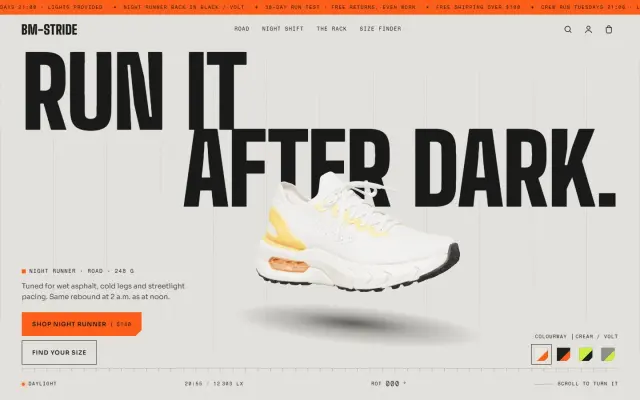
BM-Stride — Sneaker Brand Shopify Theme
A night-running Shopify theme: a real 3D sneaker that turns through 360° as you scroll, a shoe that lands in a puddle, and a size finder that adds the right size.