BATON — The Runtime for the Work Between Your Tools
A bundle of glowing strands turns behind the page as you scroll, and every card is a small 3D object that tilts toward your pointer.
A dark, cinematic landing page for a workflow-automation product. One Three.js scene sits behind the whole page — a bundle of glowing strands with dust and bokeh under a bloom pass — standing upright at the top, turning diagonal mid-page and lying flat by pricing. In front of it the product works instead of being described: an integrations strip where a runner hops from app to app, a run trace filling in with millisecond timings, a chat where a refund over the limit waits for a yes and gets one, an isometric 3D bar chart, and a pinned statement panel that grows from the logo tile to full width and back. Then data residency meters, a bento of a working day (heatmap, hands-off ring, approvals, recovered-vs-failed waves, a dot map), stats that scramble into place, quotes, and a pricing estimator whose slider picks the plan. Every card swings in as it enters and tilts toward the pointer with its charts on a deeper parallax layer. Four palettes — Ember, Glacier, Orchid, Rose — switch live from a dock, strands and bars included. Static HTML, CSS and JavaScript with GSAP, Lenis and Three.js.
Paste the prompt intoClaude CodeCursorAntigravityWindsurfLovableBoltv0
What's in the source
6 files — one self-contained page that opens in a browser, with the prompt that made it.
baton-workflow/
├─ js/  3 files
├─ css/  1 file
├─ index.html
└─ … 1 more
How to run this
Works the same on Windows, macOS and Linux. No prior setup beyond Node.js, and nothing to configure — the pack runs as-is.
- Built with
- HTML, CSS & JavaScript
- Requires
- Node.js 18 or newer
- Opens at
- http://localhost:3000
Note — No build step and nothing to install: index.html, css/style.css and ES modules in js/. Serve the folder rather than double-clicking index.html, because browsers will not load modules from a file:// page. GSAP, Lenis, Three.js and the Google Fonts load from their CDNs, so the first load needs an internet connection. Add ?palette=glacier (or orchid, rose) to the URL to open it in another palette.
✦ Or let an AI agent set it up for you
Already using Claude Code, Antigravity, Cursor or Windsurf? Unzip the pack, open the folder as a project, and just ask:
Install the dependencies and run this project, then give me the URL
It reads the README included in the pack, runs the right commands for this project, and sorts out anything that trips along the way. You still need Node.js installed (step 1 below) — everything after that it can handle.
Or run it yourself
- 1
Install Node.js, if you don't have it
Download the LTS build from nodejs.org and run the installer — on Windows and Mac it handles everything. Mac users with Homebrew can run
brew install nodeinstead.To check it worked, run
node --version. It should print a number like v22.11.0. - 2
Unzip the pack, then open a terminal inside the folder
Windows: open the unzipped folder in File Explorer, click the address bar, type
powershelland press Enter.Mac: press Cmd+Space, type terminal, press Enter. Then type
cd(with a trailing space) and drag the unzipped folder onto the terminal window — it fills in the path for you. Press Enter. - 3
Start it
Run
npx serve .— npx downloads the little server on demand, so there is nothing to install first.Then open http://localhost:3000 in your browser. Leave the terminal open while you use it — closing it stops the site. Press Ctrl+C in the terminal to stop.
+ − If something goes wrong
- “npm is not recognised” / “command not found: npm”
- Node.js isn’t installed, or the terminal was open before you installed it. Close the terminal, open a new one, and try again.
- “Port 3000 is already in use”
- Something else is running there — often a previous copy of this site. Close the other terminal, or stop it with Ctrl+C.
- The page loads but images or video are missing
- Make sure you ran the command from inside the unzipped BATON — The Runtime for the Work Between Your Tools folder itself, not the folder containing it.
Still stuck? Email us and we'll get it running with you.
Questions about BATON
Who is BATON for?
BATON is for SaaS and automation products, and for the designers, developers and agencies who build their sites. It's a foundation rather than a site for one business: ask your AI to make it about yours and it rewrites the copy, colours and images around the same build.
What is BATON built with?
BATON is built with Three.js, GSAP and HTML/CSS/JS. The source is a single HTML file: open it in a browser and it runs, with no build step. The prompt is written for coding agents such as Claude Code, Cursor and Antigravity.
Can I use BATON for a client project?
Yes. Every purchase includes a commercial licence: use it in your own projects and in work you deliver to clients, including paid client work, change and rebrand it, and publish the result with no credit needed. What you can't do is resell, share or republish the prompt or the source files themselves.
Should I buy the prompt or the source?
The prompt is the written brief that built the design: paste it into a coding agent such as Claude Code, Cursor or Antigravity and it builds the site on your computer, which you then refine. The source is the finished project itself, ready to run exactly as the preview shows. The source always includes the prompt.
Will the prompt give me exactly the preview?
Not exactly, and that's expected. A prompt is a starting point: AI output varies between tools and between runs, so plan to refine spacing, timing and copy. The source pack is the preview itself, finished and running.
Can I get a refund?
Single designs are final once delivered, unless something is wrong on our side: a broken or empty download, a pack that isn't what its page describes, or a double charge. Then email support@brandmotion.in with your receipt and we fix it or refund it. The full terms are on the refunds page.
More like this
Browse the store →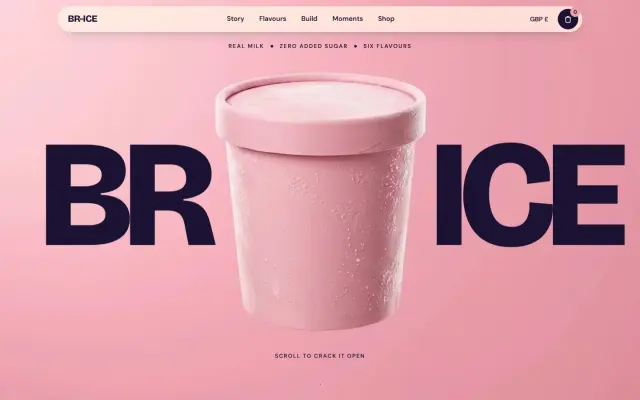 Premium
BR-ICE — Real Milk, Zero Sugar, Blown Apart
Scroll and the pint cracks open while 3D sprinkles fly out of the screen — then six cones explode on their own colours and you build your own in 3D.
 Premium
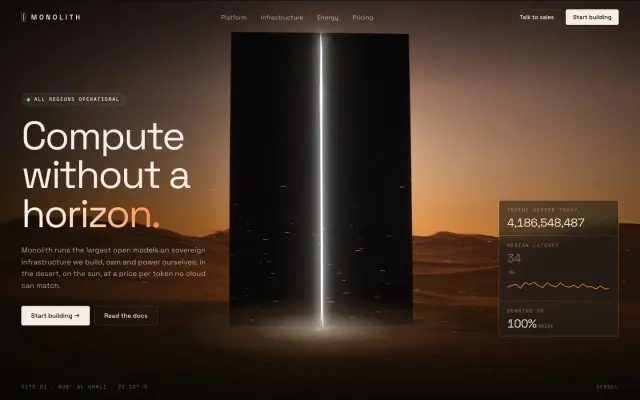
MONOLITH — Compute Without a Horizon
A black monolith in the desert splits the screen open, its seam of light pulsing, sand blowing past and a live token counter ticking.
 Premium
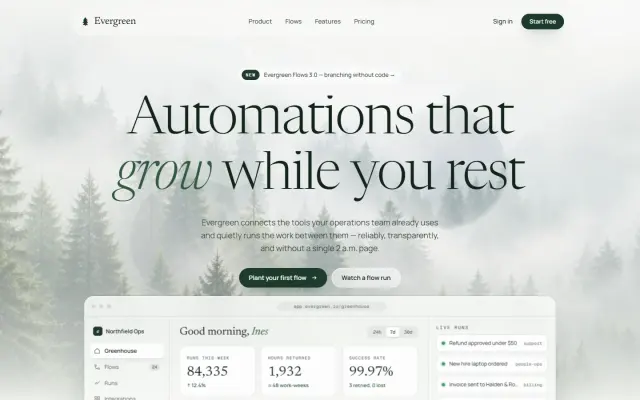
Evergreen — Automation That Grows While You Rest
Wipe the morning mist off a pine forest, then run a sample order through a live workflow graph.